AI Use Policy for Nonprofits: Examples & Board Guidance
Skip to the article

Nonprofit AI Use Policy

AI Use Policy for Nonprofits: Do You Need One, and Is Anyone Following It?

Practical examples, a 10-scenario self-check, and a clear path for nonprofit leaders who want AI to serve the mission without putting trust at risk.

Free Nonprofit AI Use Policy Workshop →

On paper

  • The board approved an AI policy
  • Our IT provider set up the tools
  • Staff received the document

In practice

  • Do staff and volunteers know the rules?
  • Who decides what information goes in?
  • Would anyone notice if it did not happen?

Many nonprofits have technology support and a policy on file. What is often missing is the everyday decision about how AI is actually used.

AI has already found its way into nonprofit work. Staff use it to draft grant language, summarize meeting notes, and catch up on email. Volunteers use it too, often on their own accounts. For organizations doing more with less, that support is real.

So is the question underneath it. Some nonprofits have no AI use policy yet and wonder whether they need one. Others have a policy approved by the board, tools set up by an IT provider, and a quiet uncertainty about whether anyone is following it. This guide is for both. It explains what a nonprofit AI use policy covers, offers realistic scenarios, and includes a 10-question check to see where your organization stands today.

The first question

Do We Need an AI Use Policy?

Short answer

If anyone on your staff, board, or volunteer team uses AI for organizational work, yes. A policy does not need to be long. It needs to say what is allowed, what information stays out, who reviews AI output, and who decides when something new comes up. Without it, those decisions still happen. They just happen one person at a time.

Definition

What Is an AI Use Policy for a Nonprofit?

Short answer

A nonprofit AI use policy describes which AI tools and activities are approved, which donor, client, and volunteer information must stay out, when staff must review AI output, and who has authority to approve or escalate new uses. The board typically oversees the policy, and staff leadership puts it into practice.

Those are two different jobs. The board's role is oversight: setting expectations, approving the policy where your bylaws call for it, and hearing about higher-risk uses. Staff leadership's role is day to day: approving tools, guiding staff and volunteers, and making decisions as they come up. Your governance documents and any applicable requirements determine the exact split.

The real problem

Having a Policy Is Not the Same as Having Compliance

Technology support and AI governance are related, but they are not the same thing. An IT provider, whether on staff or under contract, can secure accounts, manage licenses, and configure tools. Deciding what staff may do with those tools, which information is appropriate to use, and who reviews the results is a leadership decision. When those two roles are not connected, a policy can sit on file while everyday use goes its own way.

Signs your policy lives mostly on paper:

  • Staff and volunteers are not sure which AI tools are approved.
  • AI features were enabled in your email or document tools, and no one decided how they would be used.
  • Volunteers use personal AI accounts for organizational work.
  • No one is named as the person to ask about a new AI use.
  • The policy has not been discussed since it was approved.

A policy protects your mission only when the people doing the work can use it.

Decision framework

Five Questions Before Your Nonprofit Uses AI

These five questions turn a policy into a decision anyone on your team can make in the moment.

  1. Task

    What will AI do, and does it touch a mission decision, such as who receives services?

  2. Data

    Will donor, client, or volunteer information go in?

  3. Tool

    Is this tool, on this account, approved for this use?

  4. Review

    Who checks the output for accuracy, dignity, and fairness?

  5. Authority

    Who approves, and who escalates when the stakes are higher?

These checks come from Inclusion Learning Lab's Green Light, Red Flag method. Green means the use is approved, protected, and accountable. Yellow means pause and clarify. Red means escalate before acting. To see how the method compares across HR teams, small businesses, and nonprofits, read AI use policy examples across three workplaces.

Interactive self-check

Is Your AI Use Policy Being Followed? Take the 10-Scenario Check

Choose the answer closest to what would really happen at your organization this month, not what the policy says should happen. Be honest with yourself; nothing is saved or sent anywhere.

2 points: practiced1 point: on paper only0 points: no rule in practice

Scenario 01The Case Summary

A case manager is behind on documentation and wants to paste client intake notes, including names and family circumstances, into an AI tool to draft case summaries.

What following the policy looks like: Client-identifying information stays out unless a specific tool is approved for it, and staff know where to check.

Scenario 02IT Turned It On

Your IT provider enabled the AI assistant built into your email and document software. Staff start using it the next morning.

What following the policy looks like: IT secures and configures the tool. Leadership decides how it is used and tells staff before they start.

Scenario 03The Donor List

A development associate wants to upload the donor database, with giving history and personal notes, into an AI tool to sort donors for a year-end campaign.

What following the policy looks like: Donor records go into AI only with approval, using a tool whose data terms leadership has reviewed.

Scenario 04The Volunteer's Account

A volunteer uses a personal AI account to write social media posts, including photos and first names of program participants.

What following the policy looks like: Volunteers learn the AI guidelines at orientation, including what participant information and images stay out.

Scenario 05The Board Packet

A board member pastes the confidential board packet into their own AI account to get a quick summary before a meeting.

What following the policy looks like: Board members know the policy applies to them, and confidential materials stay out of personal AI accounts.

Scenario 06The Translation

A program coordinator uses AI to translate a family resource guide into Spanish and Haitian Creole, then prints copies for distribution.

What following the policy looks like: AI-translated materials are reviewed by a fluent reader before they reach the people you serve.

Scenario 07The Meeting Notes

An AI note-taker joins a staff meeting where a client's situation is discussed in detail. The transcript is saved to a shared drive.

What following the policy looks like: AI note-takers stay out of conversations about clients unless leadership has approved the tool and the use.

Scenario 08The New Volunteer

A new volunteer starts next week. When will they learn your AI guidelines?

What following the policy looks like: AI guidelines are part of volunteer orientation, with simple examples and a confirmation.

Scenario 09Six Months Later

Six months after your AI use policy was approved, a program manager asks whether the organization has one.

What following the policy looks like: The policy comes up in onboarding and staff meetings, and examples are refreshed as programs change.

Scenario 10Who Do I Ask?

A staff member is not sure whether a new AI use is okay. What happens next?

What following the policy looks like: There is one named person to ask, and answers come quickly enough that people keep asking.

0out of 20

The free 37-minute workshop teaches the Green Light, Red Flag method behind every scenario in this check, so your whole team can make these decisions together.

Get the free nonprofit workshop
Illustrative scenarios

Three Illustrative Nonprofit AI Use Cases

These scenarios are illustrative. They show how the five questions apply in practice and do not describe real organizations, people, or outcomes. The signal for each depends on the safeguards in place.

Illustrative scenario· Programs

Using AI to Summarize Program Feedback

The situation

A youth program collects 200 open-ended survey responses from participants and families. The program manager wants AI to summarize the themes for the annual report.

Why AI is tempting

Hours of reading condensed into themes the team can act on.

What is at stake

Free-text answers often include names, family details, and personal stories. Removing names does not always make a response anonymous; a detail can still point to one family.

The signal depends on safeguards

Green if identifying details are removed first, the tool is approved for participant information, and staff check each theme against the source.
Yellow if no one has confirmed what the tool does with the data, or who reviews the summary.
Red if raw responses with identifying details go into an unapproved or personal account.

Who reviews and approves

The program manager reviews; the executive director approves the tool for participant information.

Safer next step

Remove names and identifying details first, use an approved tool, and spot-check every theme against real responses before it appears in a report.

Program feedback belongs to the people who gave it. A summary should protect them as carefully as the original.

Illustrative scenario· Development

Using AI for Grant Progress Reports

The situation

A development director uses AI to draft a progress report due to a foundation on Friday.

Why AI is tempting

A faster first draft during a crowded week.

What is at stake

AI can produce numbers, outcomes, or citations that sound right and are not. A funder relies on the report as an accurate record of what happened.

The signal depends on safeguards

Green if AI shapes the narrative and every figure comes from your own program records.
Yellow if the draft includes numbers or claims no one has traced to a source.
Red if a report is submitted with AI-generated figures or outcomes no one verified.

Who reviews and approves

The program lead verifies the facts; the executive director approves before submission.

Safer next step

Give AI only verified facts to work from. Check every number against program data, confirm the funder's own AI guidelines, and have leadership sign off.

Funders read your report as a record. AI can help tell the story. Your data has to tell the truth.

Illustrative scenario· Volunteers

Using AI in Volunteer Recruitment and Screening

The situation

A volunteer coordinator wants AI to write a recruitment post, then sort applications for a program serving children.

Why AI is tempting

Better outreach and less time sorting applications.

What is at stake

General recruitment copy is low risk. Applications include personal information, and decisions about who works with children involve safety screening that requires careful human judgment.

The signal depends on safeguards

Green for drafting recruitment posts and outreach messages, reviewed before publishing.
Yellow for summarizing applications, until the tool and data handling are approved and a person reviews every summary.
Red for using AI to decide who is accepted, or to evaluate background check results.

Who reviews and approves

The volunteer coordinator reviews; the executive director owns screening decisions.

Safer next step

Use AI for outreach. Keep applicant evaluation and background screening with people, following your established screening process.

Who serves alongside your participants is a trust decision. It stays with people.

Decision rights

Who Makes Which AI Decision in a Nonprofit?

Clear decision rights keep technical setup, everyday use, and board oversight connected. This is a common pattern for small and mid-sized nonprofits.

Common pattern only. Authority varies with your bylaws, size, funding agreements, and applicable requirements.
Decision area Who typically leads Who is consulted Escalate to
AI use policy and oversight Board Executive director Board, as bylaws require
Approving AI tools and uses Executive director or a delegated leader IT provider, program and development leads Board, for higher-risk uses
Donor data and fundraising Development director Executive director Executive director
Client and program information Program director Executive director, IT provider Executive director
Volunteer AI use and screening Volunteer coordinator Executive director Executive director
Technical setup and vendor review IT provider, internal or external Executive director Executive director
Making it stick

How to Help Staff and Volunteers Follow Your AI Use Policy

Compliance in a nonprofit grows from clarity and trust, not monitoring. These five steps work well for small teams.

  1. Take stock of current use

    Ask staff, board members, and volunteers which AI tools they use for organizational work, including personal accounts. Make it safe to answer honestly.

  2. Name the information that stays out

    Client, donor, and volunteer personal information; health and case details; confidential board materials; and anything shared with you in trust.

  3. Name a decision owner

    One person, usually the executive director or someone they designate, answers the question: is this okay? Connect that person with your IT provider so technical setup and use decisions stay in step.

  4. Agree on when leadership or the board weighs in

    Decide in advance which uses need the executive director and which go to the board, such as AI that affects who receives services.

  5. Make it part of how you work

    Cover AI guidelines in staff and volunteer orientation, keep a simple log of approved uses, and revisit it when tools or programs change.

For organizations ready to formalize board-level oversight, see AI governance for nonprofits and boards. For ongoing peer support as tools change, the AI Governance CoLab is a community of leaders working through these decisions together.

Common questions

Questions Nonprofit Leaders Ask About AI

Can staff and volunteers use ChatGPT at work?

Yes, if your organization approves it and sets clear limits. Many nonprofits allow AI for drafting and summarizing non-sensitive material using approved accounts. Put it in writing, include volunteers, and name the information that stays out.

Should a nonprofit board approve the AI use policy?

In many organizations, yes, or at least review it. Boards typically oversee policies that affect risk and reputation, while staff leadership handles day-to-day decisions. Your bylaws and governance practices determine whether formal board approval is required.

Can we enter donor information into generative AI tools?

Only with care and approval. Donor records often include giving history and personal details that donors expect you to protect. Before any donor information goes into an AI tool, leadership should review the tool's data terms, confirm the use fits your donor privacy commitments, and approve it.

Can AI help write grant applications and progress reports?

Yes, as a drafting aid. AI can help with structure and language, but it can produce inaccurate figures or claims. Every number, outcome, and citation should come from your records, and some funders set their own expectations about AI use, so check each funder's guidelines.

Who is accountable when AI output is wrong or harmful?

The organization, and the people who approved and used the output. AI does not carry responsibility; people do. That is why naming a reviewer and an approver matters before AI-generated work reaches funders, donors, or the people you serve.

Free AI Use Policy workshop for nonprofit leaders and teams
Free training

Free AI Use Policy Workshop for Nonprofits

Led by Margaret Spence, this free on-demand workshop teaches the Green Light, Red Flag method behind every scenario on this page, so staff, volunteers, and leaders can make AI decisions with the same shared language.

Free37 minutes, on demandAI Decision Guide included

Get the free nonprofit workshop and AI Decision Guide
Portrait of Margaret Spence

About Margaret Spence

Margaret Spence is the founder of Inclusion Learning Lab, a 27-year-old firm working across leadership development, workforce readiness, and AI governance at work. Before founding the firm, she was an insurance risk executive, and she approaches workplace AI as a question of decision rights, accountability, and exposure, not only technology. She is the author of When AI Breaks the Law, published in August 2026, a book on AI governance for talent leaders, and Leadership Self-Transformation. Read Margaret's full bio.

Go Deeper With Margaret's Books

For leaders who want the full picture behind this guide.

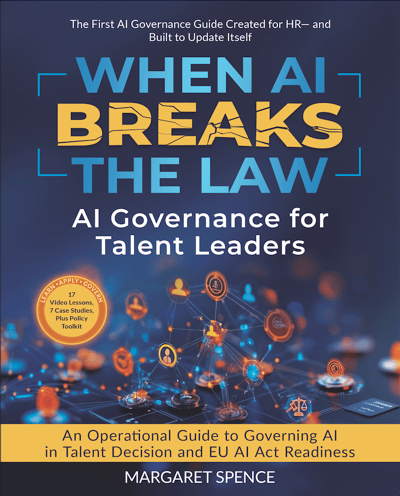
When AI Breaks the Law book cover
New, August 2026

When AI Breaks the Law

AI governance for talent leaders: where AI-driven people decisions create legal and human risk, and what leaders must own.

Explore When AI Breaks the Law →
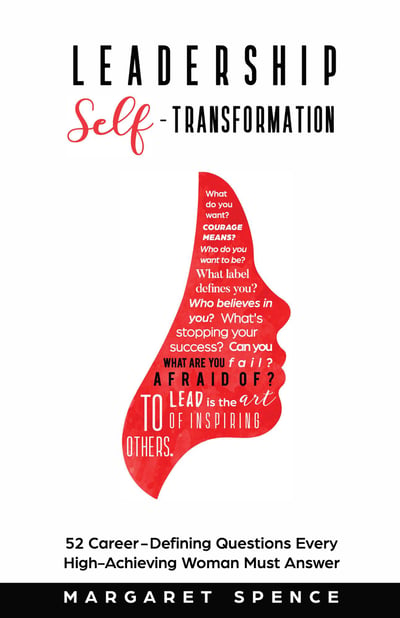
Leadership Self-Transformation book cover
Leadership

Leadership Self-Transformation

Margaret's book on the inner work of leadership and growing into the leader your organization needs.

Explore Leadership Self-Transformation →
References

Sources and Further Reading

  1. NIST AI Risk Management Framework (AI RMF 1.0)Voluntary U.S. framework for identifying and managing AI risk, including accountability and human oversight.
  2. NIST AI 600-1: Generative AI ProfileCompanion to the AI RMF focused on risks specific to generative AI tools, including data privacy and confabulated output.
  3. FTC: Protecting Personal Information, A Guide for BusinessPlain-language principles for taking stock of, limiting, and protecting personal information.
  4. IT Owns the Technology, HR Owns the Liability: Convincing HR to Embrace AI GovernanceMargaret Spence on why technology support and AI governance are separate responsibilities, from the AI Governance for HR newsletter.

All scenarios on this page are illustrative and do not describe real organizations, people, or outcomes. This content is educational, not legal advice; Green, Yellow, and Red signals are decision guidance, not regulatory clearance. The self-check runs in your browser and does not save or send your answers. Last reviewed .