Small Business AI Use Policy: Examples & Practical Rules
Skip to the article

Small Business AI Use Policy

Small Business AI Use Policy: Is Anyone Actually Following Yours?

Practical examples, a 10-scenario self-check, and a simple plan for owners who need AI rules their team will use on a busy day.

Free Small Business AI Use Policy Workshop →

On paper

  • We wrote an AI use policy
  • We emailed it to the team
  • It lives in the employee handbook

In practice

  • Does anyone remember what it says?
  • Does it hold up on a busy Tuesday?
  • Would you know if it didn't?

Most small businesses land in one of two places: no AI use policy at all, or a policy no one is sure anyone follows.

Your team is already using AI. Someone is drafting customer emails with it, someone is cleaning up the schedule, and someone has probably signed up for a free tool you have never heard of. None of that is unusual. What is unusual is a small business that knows which of those uses it actually approved.

Most owners land in one of two places. Some have no AI use policy at all. Others wrote one, shared it, and have no real way of knowing whether anyone follows it. This page is for both. It defines what a small business AI use policy should cover, walks through realistic scenarios, and gives you a 10-question check to see where your business stands today.

Definition

What Is an AI Use Policy for a Small Business?

Short answer

A small business AI use policy states which AI tools and tasks are allowed, what information must never be entered, which outputs need a person to review them, and who approves new uses. It also tells employees what to do when a situation is not covered. In most small businesses, the approver is the owner or a named manager.

It works best in three layers. The rules set the boundaries. Working guidance shows what the rules look like in everyday tasks such as quoting, scheduling, and customer service. A decision process names who says yes when something new comes up. Without that third layer, every new tool becomes a judgment call made by whoever is busiest.

The real problem

Having a Policy Is Not the Same as Having Compliance

A written policy proves you thought about AI. Compliance means your team's daily behavior matches what you wrote. The space between the two is where most small business AI risk lives, because no one is watching it.

Signs your policy exists on paper only:

  • Employees cannot name the approved AI tools without looking them up.
  • New hires never hear about the policy unless they ask.
  • No one knows who to ask about a new AI use, so no one asks.
  • The policy has not come up since the day it was sent.
  • AI features inside software you already pay for were switched on without anyone deciding.

If no one is checking, you do not have a policy. You have a document.

Decision framework

Five Checks Before Your Team Uses AI

Every compliant AI decision runs through the same five checks. Once your team knows them, they take about a minute.

  1. Task

    What will AI do? A thank-you note and a job price are not the same risk.

  2. Data

    What goes in? Customer, employee, and financial details change the answer.

  3. Tool

    Is this exact tool, on this account, approved? A free personal account is not the business account.

  4. Review

    Who checks the output before it reaches a customer or affects an employee?

  5. Authority

    Who can say yes, and who can say stop, when the use is new?

These checks come from Inclusion Learning Lab's Green Light, Red Flag method. Green means the use is approved, protected, and accountable. Yellow means pause and clarify. Red means escalate before acting. For a side-by-side look at how the method applies across HR teams, small businesses, and nonprofits, see AI use policy examples across three workplaces.

Interactive self-check

Is Your AI Use Policy Being Followed? Take the 10-Scenario Check

Read each scenario and choose the answer closest to what would really happen in your business this week, not what the policy says should happen. There are no trick questions, and nothing is saved or sent anywhere.

2 points: practiced1 point: on paper only0 points: no rule in practice

Scenario 01The Customer Email

A front-desk employee is behind on replies and wants to paste a customer's full email thread, including their home address and account number, into an AI chatbot to draft a response. What actually happens?

What following the policy looks like: Customer identifiers come out before anything goes in, and the tool is the approved business account, not a personal one.

Scenario 02The Personal Account

An employee has been using their own free AI account for work because it is faster than asking. If you asked today, would you know which AI tools your staff use for work?

What following the policy looks like: Approved tools are written down, and anyone who wants a new one asks first.

Scenario 03The Meeting Recorder

A manager turns on an AI note-taker during a call with a client. The client is never told the call is being recorded and transcribed.

What following the policy looks like: People are told before a call is recorded or transcribed, and only approved note-takers are used. Recording consent rules vary by state.

Scenario 04The Social Post

Your part-time marketing help uses an AI image generator to create a product photo and writes a glowing customer quote to go with it. Neither is real.

What following the policy looks like: AI-generated images are reviewed before they post, and customer quotes come only from real customers who agreed to share them.

Scenario 05The New App

An employee finds an AI app that promises to automate invoicing and connects it to your accounting software using their own login.

What following the policy looks like: Any AI app that connects to business systems gets a yes from the owner or named approver before it is switched on.

Scenario 06The Feature Nobody Turned On

Software you already pay for adds a new AI feature that reads your customer files. It is switched on by default.

What following the policy looks like: One person reviews new AI features in existing software and decides whether to keep them on.

Scenario 07The Write-Up

A supervisor asks AI to help write a performance write-up and pastes in notes that mention the employee's medical leave.

What following the policy looks like: Health, leave, and personnel details stay out of AI tools, and supervisors have been shown why.

Scenario 08The New Hire

A new employee starts Monday. When do they learn your AI rules?

What following the policy looks like: AI rules are covered in onboarding with real examples, and new hires confirm they have read them.

Scenario 09The Wrong Answer

An employee uses AI to answer a customer's question about a product warranty and passes the answer along. It is wrong.

What following the policy looks like: Anything AI produces for a customer is checked by a person against your own information before it is sent.

Scenario 10The Question Nobody Asks

An employee is not sure whether a new AI use is allowed. What do they do?

What following the policy looks like: There is one named person to ask, and answers come fast enough that people keep asking.

0out of 20

The free 37-minute workshop teaches the Green Light, Red Flag method your team can apply to every one of these scenarios.

Get the free small business workshop
Illustrative scenarios

Three Illustrative AI Use Cases for a Small Business

These scenarios are illustrative. They show how the five checks apply in practice and do not describe real businesses or outcomes. The signal for each depends on the safeguards in place.

Illustrative scenario· Customer work

Using AI to Draft Customer Estimates or Proposals

The situation

A contractor's office manager uses AI to turn job notes into a polished estimate for a kitchen remodel.

Why AI is tempting

Faster quotes, cleaner formatting, and fewer estimates sitting in a to-do pile.

What is at stake

Prices, quantities, timelines, warranty terms, and promises the business may be held to. AI can produce confident wording the business never agreed to offer.

The signal depends on safeguards

Green if AI only formats and phrases, and the estimator checks every number and term before sending.
Yellow if the tool or account is not approved, or no one is assigned to check figures.
Red if estimates go out without a person verifying prices, terms, or warranty language.

Who reviews and approves

The estimator who priced the job, with the owner approving any new terms.

Safer next step

Let AI draft the description and layout. Pull every price, quantity, and term from your own pricing sheet, not from the AI output.

AI can write the estimate. It cannot make the promise. A person still owns every number.

Illustrative scenario· Operations

Using AI for Scheduling and Employee Shift Changes

The situation

A retail manager wants an AI scheduling assistant to build weekly shifts and handle swap requests automatically.

Why AI is tempting

Less time on the schedule and faster answers for staff.

What is at stake

Employee availability, personal reasons for time off, fairness in who gets hours, and the permissions the app requests to payroll or HR systems.

The signal depends on safeguards

Green if the owner approved the tool, it sees only scheduling data, and a manager reviews each schedule before it posts.
Yellow if the app asks to connect to payroll or HR records and no one has decided whether that is acceptable.
Red if the tool assigns hours or approves time off with no human review, or receives medical or personal leave details.

Who reviews and approves

The scheduling manager, with the owner approving any connection to payroll or HR systems.

Safer next step

Start with suggestions only. Keep reasons for time off out of the tool, and have a manager approve every schedule.

Who gets hours is an employment decision. AI can propose it. A manager has to own it.

Illustrative scenario· Hiring

Using AI to Draft Job Posts vs. Screen Applicants

The situation

An owner hiring two technicians wants AI to write the job post, then rank the applicants who respond.

Why AI is tempting

A clearer post and a faster shortlist.

What is at stake

Drafting a post from the job duties is low risk. Ranking real applicants involves personal information and a hiring decision, and screening tools can filter people out unfairly in ways that are hard to see.

The signal depends on safeguards

Green for drafting the job post from duties and requirements, with the owner reviewing the wording before it is published.
Yellow for summarizing applications, until you confirm what the tool does with applicant data and who reviews its output.
Red for letting AI reject or rank candidates on its own. Get appropriate legal advice before using AI in screening decisions.

Who reviews and approves

The owner or the person handling HR, who reads every application the AI touches.

Safer next step

Use AI for the post. Read applications yourself, or limit AI to summaries a person checks against the original.

Writing the post and judging the people are two different uses. Only one belongs to AI.

Decision rights

Who Has Authority to Approve AI in a Small Business?

Without an IT or legal department, approval is a business decision. This is a common pattern for teams of 5 to 50 people.

Typical pattern only. Adjust to your size, structure, and any industry requirements.
Task Who reviews first Who makes the final call Record to keep
Customer messages and quotes The employee drafting it Owner or manager, for new terms or pricing Approved templates and standard wording
Customer or personal data in any AI tool Office or operations manager Owner List of approved tools and what data each may receive
Employee matters: reviews, schedules, discipline Supervisor Owner A note of AI use in the decision record
Hiring: posts, screening, interviews Person handling HR Owner, with legal advice for screening How applicants were reviewed and by whom
New AI apps or AI features in existing software Whoever requests it Owner or named approver Decision log: tool, purpose, data, date, approver
Making it stick

How to Get Employees to Follow Your AI Use Policy

Compliance in a small business is not about monitoring people. It is about making the right choice the easy one. Five steps get most teams there.

  1. Inventory what is already in use

    Ask every employee which AI tools they use for work, including free and personal accounts. You cannot approve what you cannot see.

  2. Define the no-input list

    Name the information that never goes into an AI tool: customer account and payment details, employee personnel and health information, passwords, and anything a client shared in confidence.

  3. Name one approver

    One person, by name, answers the question: can I use AI for this? If the answer takes three days, people stop asking.

  4. Set the review rule

    Anything AI produces that reaches a customer, affects an employee, or includes a number gets checked by a person before it is used.

  5. Log decisions and revisit them

    Keep a one-page log of approved uses. Cover the policy in onboarding, mention it in a team meeting each quarter, and update it when your tools change.

If you want ongoing support as tools and rules change, the AI Governance CoLab is a community of leaders working through these decisions together.

Common questions

Questions Small Business Owners Ask Before Using AI

Can employees use ChatGPT for customer emails?

Yes, if you approve it and set limits. Employees can use an approved account to draft or polish customer emails, as long as account numbers, payment details, and other identifying information stay out, and a person reads the email before it is sent. Write the rule down so it does not depend on memory.

What should staff never paste into a public AI tool?

Anything that identifies a customer or employee, or that you would be uncomfortable seeing outside the business. That includes account and payment details, Social Security numbers, health and leave information, passwords, and confidential client or pricing information. Data terms vary by tool and account type, so check the terms of the specific tool you approve.

Who approves AI apps if we have no IT department?

The owner, or one manager the owner names. Without IT, approval is a business decision about what the app does, what data it touches, and what it connects to. Keep a short log of each approval so the next question gets answered faster.

Do we need different AI rules for every employee?

No. One set of rules works for most small businesses, with a few role-specific examples. A front-desk employee needs examples about customer emails; a manager needs examples about schedules and employee records. The rules stay the same while the examples change.

When should an owner stop and seek expert review?

When AI touches a decision about hiring, firing, pay, credit, or anything with legal or safety consequences. The same applies when a tool wants access to sensitive customer or employee records. Those uses carry more risk than a small team should judge alone, so pause and get appropriate legal or technical advice before going further.

Free AI Use Policy workshop for small business owners and managers
Free training

Learn the Green Light, Red Flag Method

The free small business workshop walks through the method behind every scenario on this page, so your team makes these calls the same way every time, with or without you in the room.

Free37 minutes, on demandAI Decision Guide included

Get the free 37-minute workshop and AI Decision Guide
Portrait of Margaret Spence

About Margaret Spence

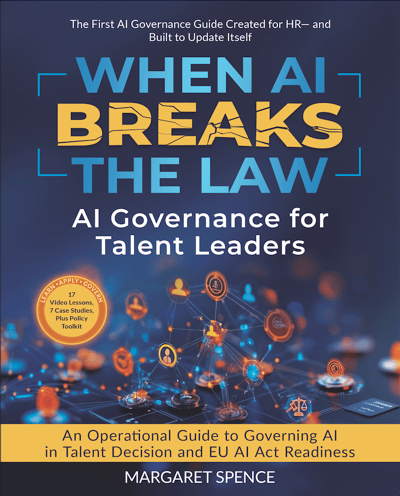
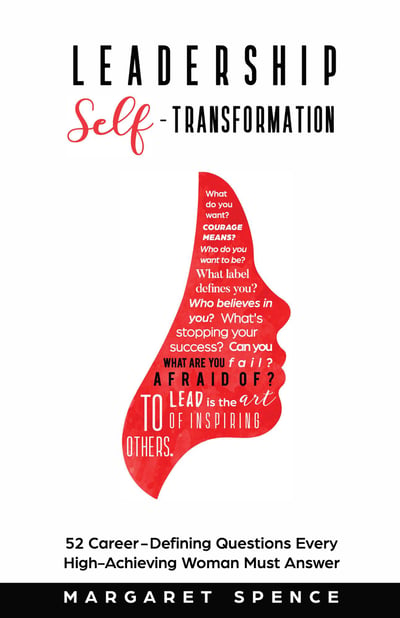
Margaret Spence is the founder of Inclusion Learning Lab, a 27-year-old firm working across leadership development, workforce readiness, and AI governance at work. Before founding the firm, she was an insurance risk executive, and she approaches workplace AI as a question of decision rights, accountability, and exposure, not only technology. She is the author of When AI Breaks the Law, published in August 2026, a book on AI governance for talent leaders, and Leadership Self-Transformation. Read Margaret's full bio.

Go Deeper With Margaret's Books

For leaders who want the full picture behind this guide.

When AI Breaks the Law book cover
New, August 2026

When AI Breaks the Law

AI governance for talent leaders: where AI-driven people decisions create legal and human risk, and what leaders must own.

Explore When AI Breaks the Law →
Leadership Self-Transformation book cover
Leadership

Leadership Self-Transformation

Margaret's book on the inner work of leadership and growing into the leader your organization needs.

Explore Leadership Self-Transformation →
References

Sources and Further Reading

  1. NIST AI Risk Management Framework (AI RMF 1.0)Voluntary U.S. framework for identifying and managing AI risk, including accountability and human oversight.
  2. FTC: Protecting Personal Information, A Guide for BusinessPlain-language principles for taking stock of, limiting, and protecting personal information.
  3. U.S. Small Business Administration: Strengthen Your CybersecurityBaseline guidance on protecting business and customer data for small companies.
  4. NIST AI 600-1: Generative AI ProfileCompanion to the AI RMF focused on risks specific to generative AI tools, including data privacy and confabulated output.

All scenarios on this page are illustrative and do not describe real organizations, people, or outcomes. This content is educational, not legal advice; Green, Yellow, and Red signals are decision guidance, not regulatory clearance. The self-check runs in your browser and does not save or send your answers. Last reviewed .